A jQueryplugin
that sets a division to rotate between images (or other things) as if
they were on the faces of a cube.
The current version is 2.0.0 and is available
under the MIT licence.
For more detail see the documentation reference page.
Or see a minimal page that you could
use as a basis for your own investigations.
The image cube functionality can easily be added to a division
with appropriate default settings. It then displays the images
contained within the targetted division in a cycle every two seconds.
A random rotation is chosen each time to move to the next image.
Highlights and shadows are used to enhance the 3D effect.
Stop and restart the automatic rotation with the appropriate commands.
You can also remove the image cube functionality
with the 'destroy' command if it is no longer required.
Processed fields are marked with a class of is-imagecube
and are not re-processed if targetted a second time.
Rotation Controls
Control how the image cube works by supplying various options when attaching it.
You can change the options on the fly with
$(selector).imagecube('option', {...}).
You can trigger a new rotation with
$(selector).imagecube('rotate').
This command can also take a selector for the next face to show, and/or
a callback function to notify you of the completion of the rotation.
Change rotation direction and target:
to
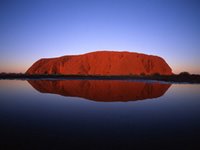
Now showing: Uluru
$('#directionCube').imagecube({direction: 'up', repeat: false});

$('#directionButton').click(function() {
	var cube = $('#directionCube');
	var next = parseInt($('#next').val(), 10);
	cube.imagecube('option', {direction: $('#direction').val()}).
		imagecube('rotate', next, function() {
			$('#current').text($(cube.imagecube('current')).attr('title'));
		});
});
Control how the next image to be shown is selected.
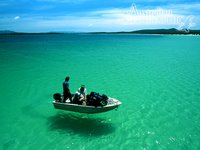
The normal order here is Uluru, islands, gorge.
Wrap the images in links to allow the user to click on them for more details.
Make sure that the embedded images are styled to fill the link element:
style="width: 100%; height: 100%;".
You can also rotate text, but the effect is not quite as good.
Note that each child may have its own colours, borders, and padding.
Text cube:
Once a jolly swagman camped by a billabong under the shade of a coolabah tree.
And he sang as he watched and waited till his billy boiled. "Who'll come a-waltzing Matilda...
Out on the board the old shearer stands, grasping his shears in his thin bony hands.
Fixed is his gaze on a bare-bellied yoe, glory if he gets her, won't he make the ringer go...
Australians all let us rejoice for we are young and free. We've golden soil and wealth for toil,
our home is girt by sea. Our land abounds in nature's gifts of beauty...
<div id="textCube" style="width: 200px; height: 150px;">
	<div style="background-color: #FAA;">Once a jolly swagman...</div>
	<div style="background-color: #AFA; padding: 5px 5px;
			border: 2px solid lime;">
		Out on the board the old shearer stands,...</div>
	<div style="background-color: #AAF; padding: 3px 3px;
			border: 5px double rgb(0, 0, 255);">
		Australians all let us rejoice...</div>
</div>
$('#textCube').imagecube();
Text cube without shading:
Once a jolly swagman camped by a billabong under the shade of a coolabah tree.
And he sang as he watched and waited till his billy boiled. "Who'll come a-waltzing Matilda...
Out on the board the old shearer stands, grasping his shears in his thin bony hands.
Fixed is his gaze on a bare-bellied yoe, glory if he gets her, won't he make the ringer go...
Australians all let us rejoice for we are young and free. We've golden soil and wealth for toil,
our home is girt by sea. Our land abounds in nature's gifts of beauty...
The 3D effect can be tuned with the following settings. The reduction
and expansion settings give you control over the
sizing of the cube by changing the amount that the far edges
decreases in size and that the near edge increases in size.
The segments setting controls how many pieces
each image is divided into for the effect.
The original pseudo-3D rotation (without perspective) is still available.
Pseudo 3D cube:
$('#flatCube').imagecube({full3D: false});
Text cube:
Once a jolly swagman camped by a billabong under the shade of a coolabah tree.
And he sang as he watched and waited till his billy boiled. "Who'll come a-waltzing Matilda...
Out on the board the old shearer stands, grasping his shears in his thin bony hands.
Fixed is his gaze on a bare-bellied yoe, glory if he gets her, won't he make the ringer go...
Australians all let us rejoice for we are young and free. We've golden soil and wealth for toil,
our home is girt by sea. Our land abounds in nature's gifts of beauty...
$('#flatTextCube').imagecube({full3D: false});
In the Wild
This tab highlights examples of this plugin in use "in the wild".
ANKOMMEN, UMSCHAUEN, AUSWÄHLEN...
nutzen Sie doch die Gelegenheit, sich den aktuellen Stand in den
Bereichen Public Relations, IT und Marketing anzuschauen; denn in diesen
drei Bereichen hat sich enorm viel getan in der letzten Zeit.
Sie haben noch keine Webpräsenz oder sind mit Ihrem Shop bzw. Shopsystem unzufrieden?
Dann starten Sie heute noch Ihrem eigenem Mietshop von my-Warehouse.
my-Warehouse verbindet geringe Investitionskosten und Betriebskosten
mit einer professionellen Shopsoftware.
The image cube is available as an
add-in, as in this
example in the lower left corner.
The Company CubeTM is a new cooperative strategy for small business
success. Its objective is to transform work environments and bring about social
change through daily, decision-making and action. Roll the cube to see the
plugin in action.
To add another example, please contact me (kbwood.au{at}gmail.com)
and provide the plugin name, the URL of your site, its title,
and a short description of its purpose and where/how the plugin is used.
Quick Reference
A full list of all possible settings is shown below.
Note that not all would apply in all cases. For more detail see the
documentation reference page.
$(selector).imagecube({
	direction: 'random', // Direction of rotation: random|up|down|left|right
	randomSelection: ['up', 'down', 'left', 'right'],
		// If direction is random, select one of these
	speed: 2000, // Time taken (milliseconds) to transition
	easing: 'linear', // Name of the easing to use during transitions
	repeat: true, // True to automatically trigger a new transition after a pause
	pause: 2000, // Time (milliseconds) between transitions
	selection: 'forward', // How to choose the next item to show:
		// 'forward', 'backward', 'random'
	shading: true, // True to add shading effects, false for no effects
	opacity: 0.8, // Maximum opacity (0.0 - 1.0) for highlights and shadows
	imagePath: '', // Any extra path to locate the highlight/shadow images
	full3D: true, // True to add cubic perspective, false for 2D rotation
	segments: 20, // The number of segments that make up each 3D face
	reduction: 30, // The amount (pixels) of reduction for far edges of the cube
	expansion: 10, // The amount (pixels) of expansion for the near edge of the cube
	lineHeight: [0.0, 1.25], // Hidden and normal line height (em) for text
	letterSpacing: [-0.4, 0.0], // Hidden and normal letter spacing (em) for text
	beforeRotate: null, // Callback before rotating
	afterRotate: null // Callback after rotating
});

$.imagecube.setDefaults(options) // Set global defaults

$(selector).imagecube('option', options) // Change multiple settings
$(selector).imagecube('option', name, value) // Change a single setting
$(selector).imagecube('option', name) // Retrieve a setting

$(selector).imagecube('destroy') // Remove image cube functionality

$(selector).imagecube('rotate', next, callback) // Rotate to next face
$(selector).imagecube('stop') // Stop automatic rotation
$(selector).imagecube('start') // Restart automatic rotation

$(selector).imagecube('current') // Retrieve the current face
$(selector).imagecube('next') // Retrieve the next face

 my-Warehouse Shopsystem
 The Company Cube

